
Mobile app development:
Swift, Kotlin or Flutter.
We build your iOS and Android app natively in Swift and Kotlin or from one Flutter codebase, with the backend, integrations and store release it needs. Updates after launch continue as ongoing support.
Client project · Live · Heaven&Hell

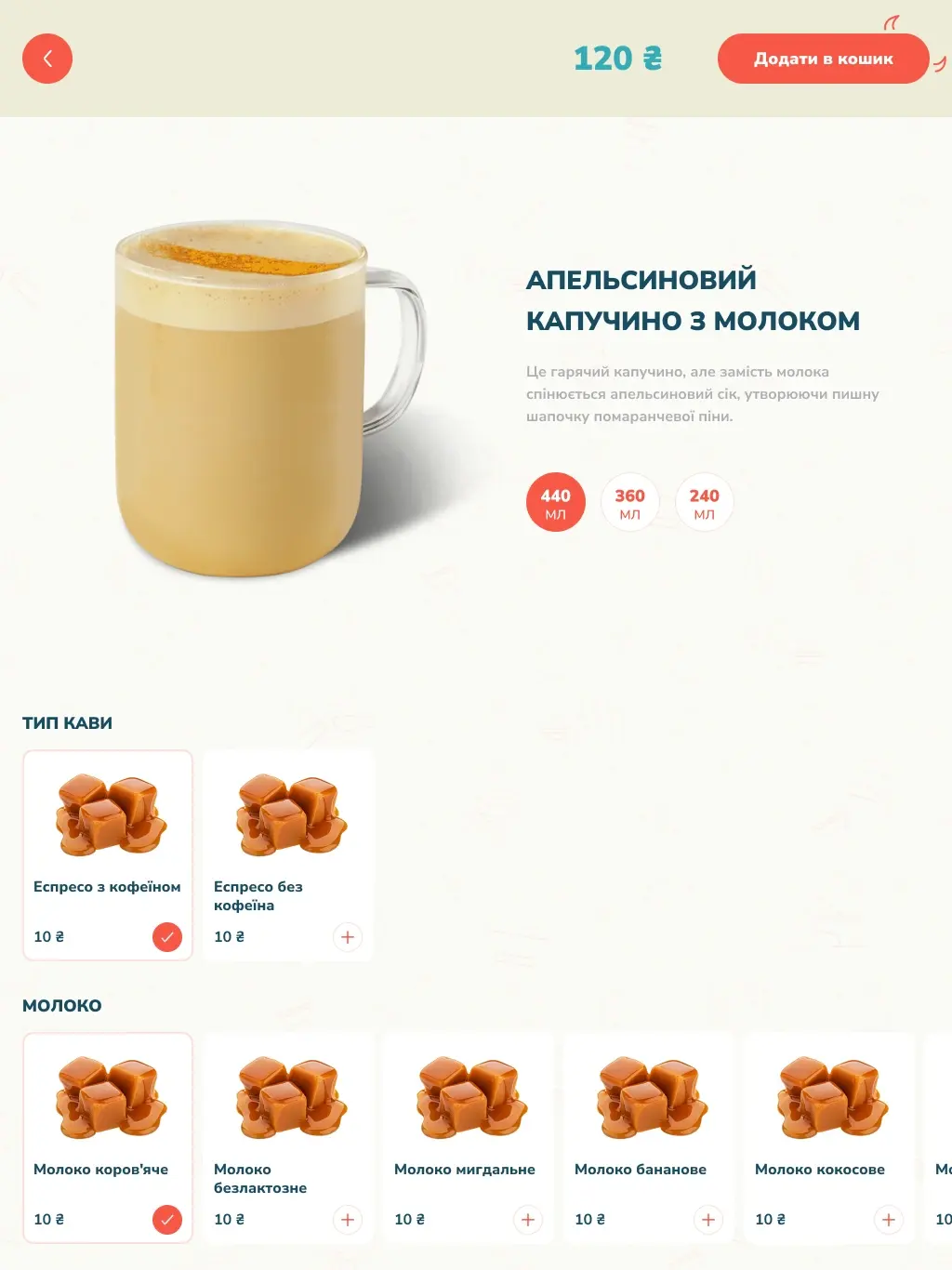
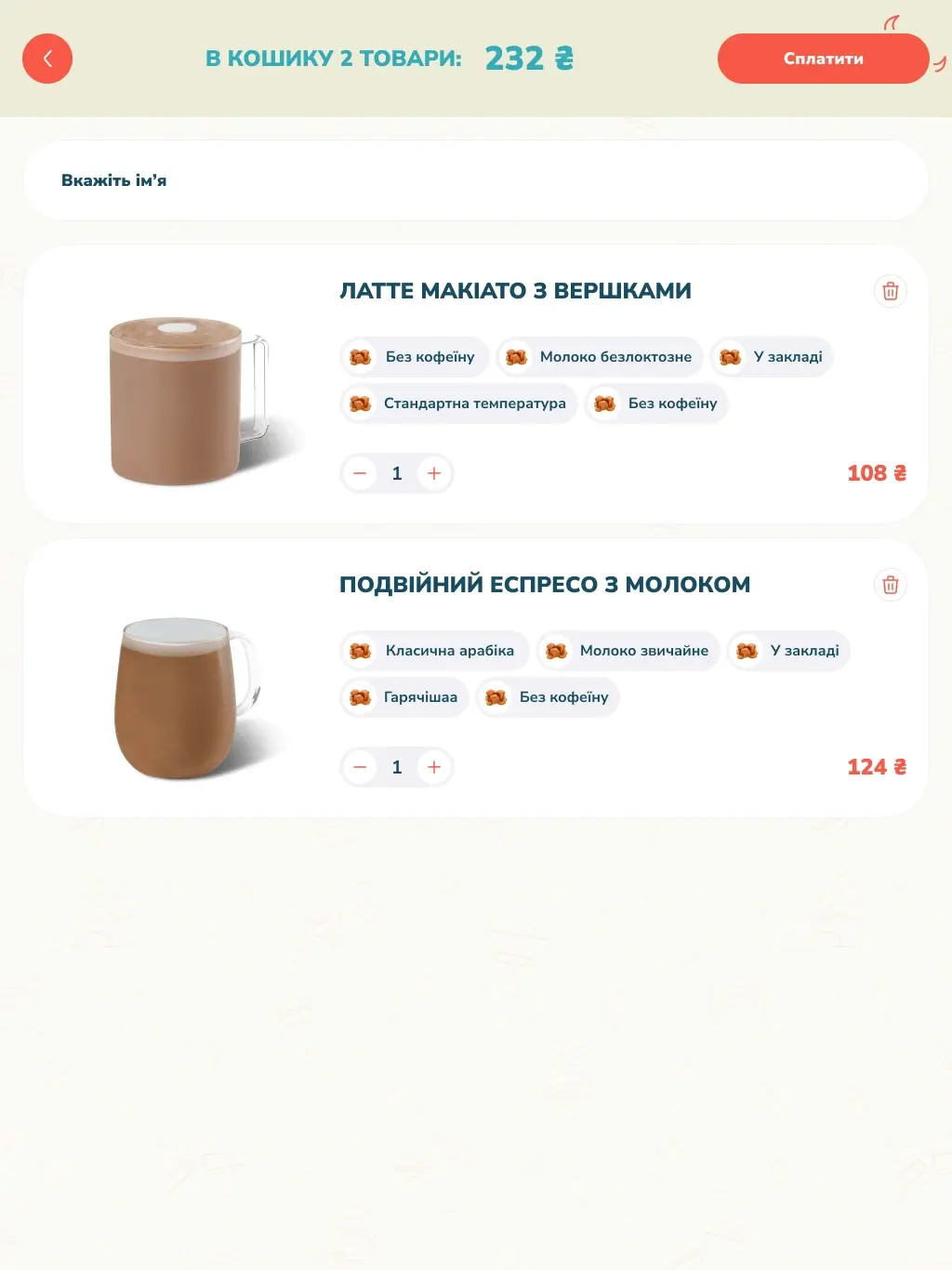
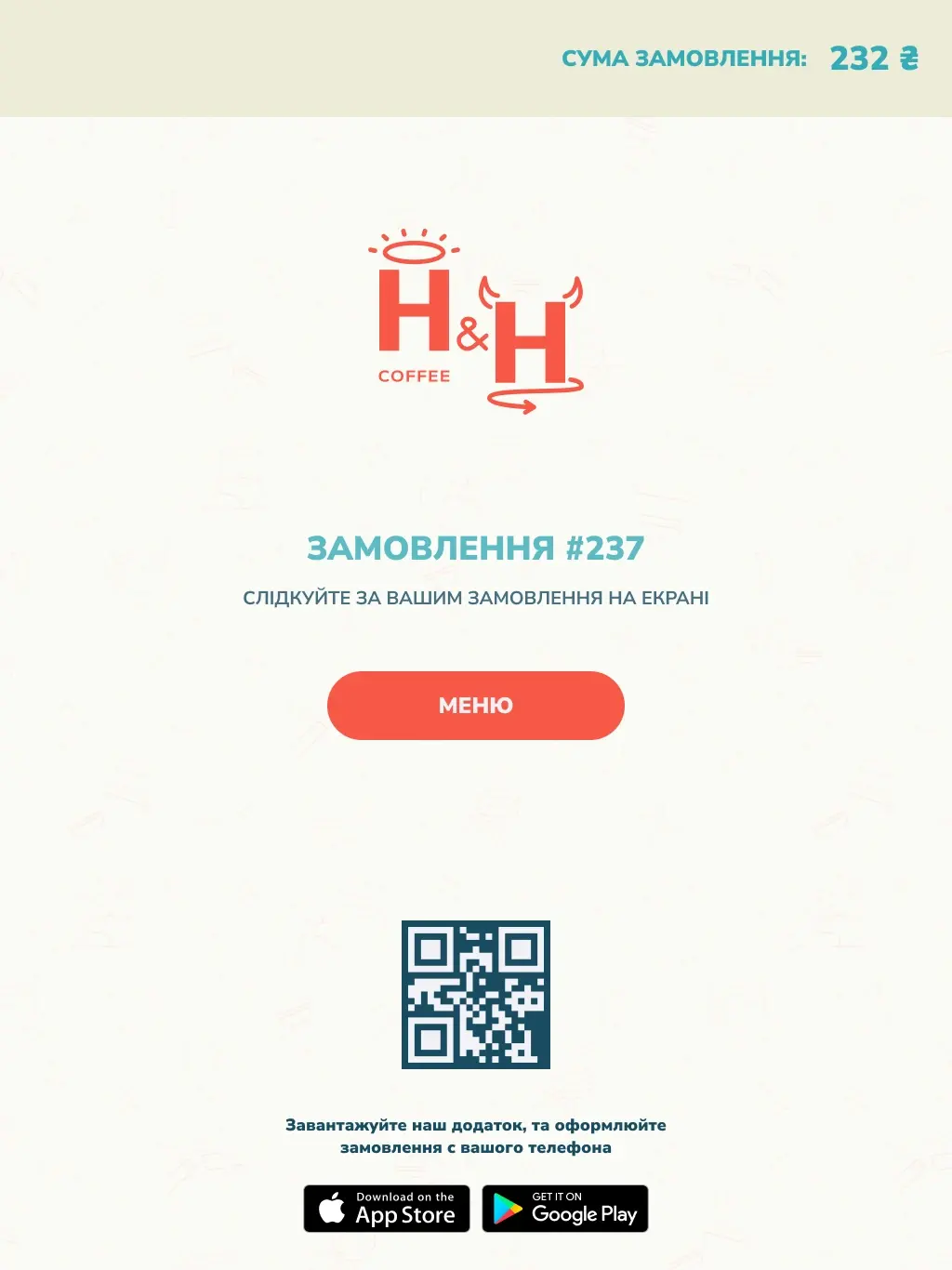

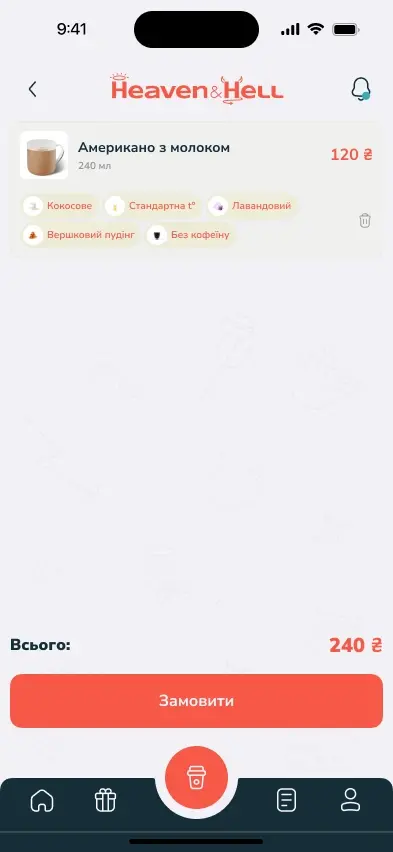
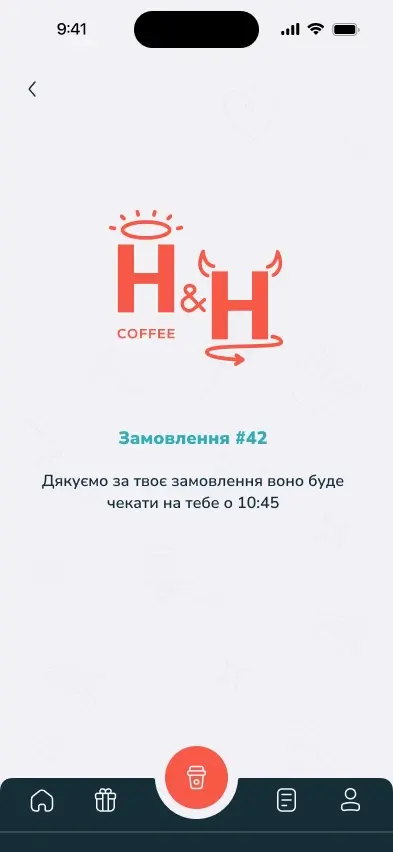
At the kioskA product grid for a larger touch surface.
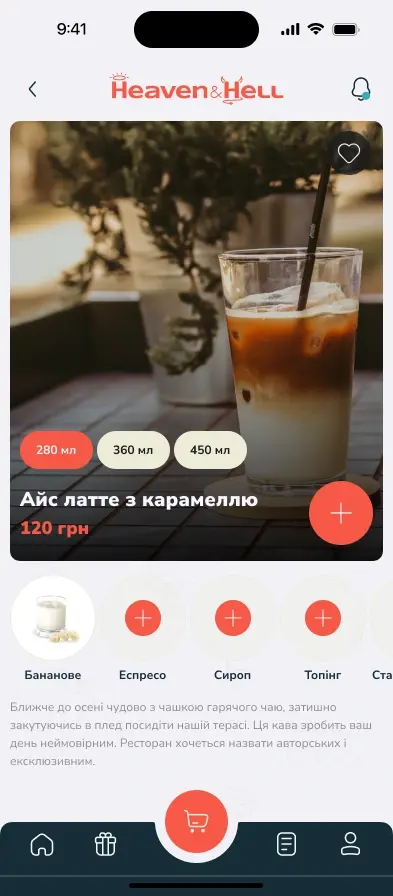
In the appDrink categories, product photos and the central order action.
One order, step by step
Choose a step to hold it on screen.
Heaven&Hell
We designed and built the guest app and a self‑service kiosk in Flutter, connected to the café’s POS, alongside the brand identity and marketing.
Read the case+25%Average business revenue, across the brand, product and marketing programme
1.5×More frequent repeat purchases, from the same programme
- Logobook & identity
- Ігор Нечитайленко (inechit)
- App & kiosk UX/UI
- Сергій Пазич (Pazych Sergey)
Where you can start
Bring a design, a brand or an app
From a finished design
Our engineers review your screens and states first, then we build from your files and fill only the gaps.
With your brand guidelines
We design the app’s screens with your typefaces, colours and logo, so it looks like your brand from day one.
From the app you already have
We review its code, backend and release setup first, then agree which fixes, features or updates we take on.
Before the build
An app, or a web app?
A mobile app6
When the phone is part of the job
Why an appOrders, bookings or loyalty: installed from the store, the app stays on the home screen and signed in, so the next visit is one tap away.
Why an appAn app asks once and can then remind and inform. On iPhone, a website can send them only after it is added to the home screen.
Why an appBrowsers reach only some device features, and not the same ones on iOS and Android.
Why an appChecks, photos and barcode scans on site: an app opens straight to the task and uses the camera directly.
Why an appData kept on the phone and synced later, with a rule for changes made in two places. Planned and estimated with you.
Why an appPeople can find and install the app in the stores they already use.
A web app4
When the browser is enough
Why the webNothing to install between a person and the task: open the link, finish, close.
Why the webTables, long forms and large screens suit the browser.
Why the webA responsive web app also works in the phone’s browser.
Why the webChanges reach everyone on release, with no store review in between.
Both, on one backendA web product with an app for its most frequent tasks, sharing the same accounts, data and rules.
The app and the system behind it
The app
iOS and Android, native in Swift and Kotlin or from one Flutter codebase: the core tasks, sign-in and the screens around them, tested on an agreed set of devices and system versions.
Backend and integrations
The backend and push notifications the app relies on, or an API over the systems you run. Payments and third-party APIs join when the task needs them.
Store release and updates
Listings, privacy details and submission to the App Store and Google Play, then updates for new iOS and Android versions as ongoing support.
How we build it
Native or Flutter.
Tested on both.
Ready for updates.
Native or one Flutter codebase comes first. The other three are settled before the first build, because they are costly to change once the app is on people’s phones.
Native apps in Swift and Kotlin follow each platform’s own conventions and get new system features first. One Flutter codebase compiles to native code for both, so a feature ships to iOS and Android in the same release and one team maintains it. Every release is tested on both.
Native apps use device features directly. In a Flutter app most come through existing packages, and when one does not, we write that part in Swift or Kotlin inside the app. Hardware integrations are estimated with you.
People update late, so the backend keeps supporting the app versions still in use, and the app can ask people to update when an old version can no longer be supported.
Menus, texts and settings served by the backend can change without a store release; how your team edits them is agreed in the scope. New features still ship as reviewed updates.
How a mobile app project runs
From first conversation to both app stores
01 / 06
Discovery and scope
Who the app is for, the tasks it handles, the systems it talks to and what you bring. No detailed brief needed.
What stays with your team
Your app.
Your accounts.
The code, design files and store listings live in your accounts from the start.
01 / Yours
Code and design files
You own them, in your accounts, with access from day one and documentation to support future development.
CodeDesign filesDocs
02 / Yours
The store listings
Published under your developer accounts, so the listings, ratings and store data stay with you.
App StoreGoogle Play
03 / After handover
30 days of bug fixes
For 30 days after handover, we fix bugs within the delivered, agreed scope at no extra cost.
Within the delivered scopeOngoing support can be arranged
Have an app in mind?
Let’s plan the build.
Tell us who will use it, what they need to do on their phone, which systems it has to talk to and what you already have.
Frequently Asked Questions
It depends on the core tasks, the backend, the integrations and payments, any device features and what you already have, such as a finished design. After a first conversation we outline the work, timing and budget, then agree a fixed price for a clear scope. Any additional work is approved by you before it starts.
We agree the timeline with the scope after discovery and split it into milestones you check on your own phone. If you need the app in users’ hands quickly, a mobile MVP built around one core task comes first, with the rest planned for later releases.
Both. Native apps are written in Swift for iOS and Kotlin for Android. A cross-platform app comes from one Flutter codebase compiled to native code for each platform, with any platform-specific part written in Swift or Kotlin inside it. We recommend one from your features, budget and team: one codebase usually costs less to build and maintain, while native suits apps that rely on the newest platform features or on each platform’s own interface. If nothing your users need depends on the phone itself, a web app may be the better first step.
Yes. Our engineers check a finished design before the build, and we add design work only where it has gaps. With brand guidelines, we design the screens around your typefaces, colours and logo. The design work on its own is described under mobile app design.
We start with a review of the code, the backend it talks to, and the build and release setup. Then we agree with you what we take on, from fixes and updates for new iOS and Android versions to new features. Your in-house developers can stay on the app while we work.
Yes. The backend and push notifications the app relies on are part of the build, or we put a clean API over the systems you already run. Third-party integrations and payments join the scope when the task needs them: physical goods and services used outside the app, such as a café order or a booking, go through a payment provider; digital content, features and subscriptions used in the app go through each store’s billing where Apple’s and Google’s rules require it.
Yes. We prepare the listings, privacy details and reviewer notes, submit the builds and answer the reviewers’ questions. Each store makes its own review decision. The app is published under your developer accounts, so the listings, ratings and store data stay with you; the account fees are paid by you to Apple and Google.
You own the code and design files, with access from day one and documentation to support future development. Bugs within the delivered scope are fixed at no extra cost for 30 days after handover, and further development and updates can continue as ongoing support.