
Web application development for
tools people work in all day.
Internal tools, customer portals, dashboards and data search: software people sign in to and work in, connected to the systems you already run.
Client project · Live · Legal research platform
In this tour
Legal research platform
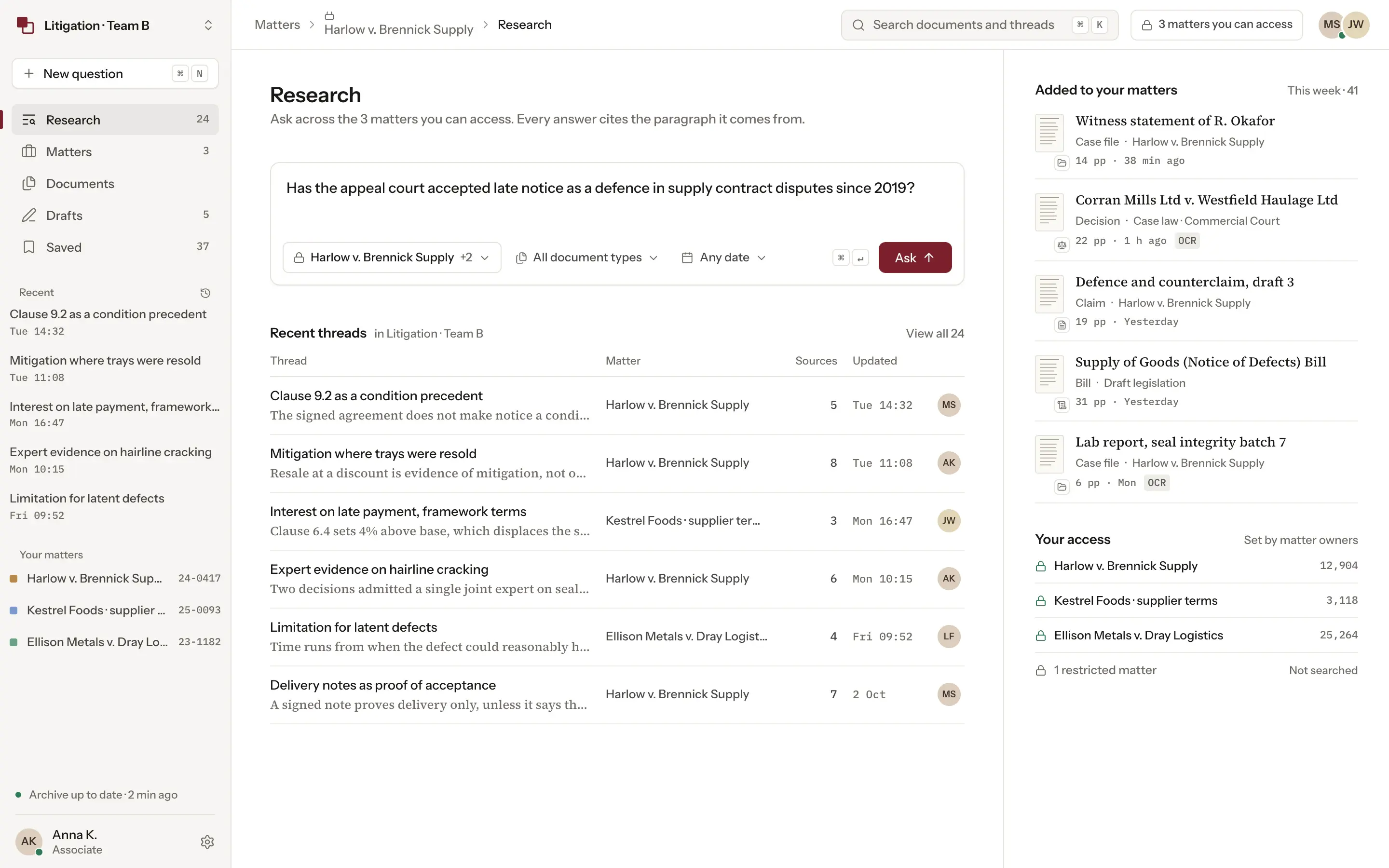
A law firm's research workspace over a 130 TB document archive, built from document ingestion to the screens lawyers use: OCR for scanned pages, permissions per matter, cited answers, comparison and drafting.
Read the case~5 secTo find and confirm a source, down from hours
500+Lawyers and staff using it across the firm
Why teams bring us in
When a web app is the right tool
The data is there but slow to reach
People wait on exports and on questions that cross several systems. The app has to stay fast on large volumes.
Not everyone may see everything
People are cleared for different records, so who may see and do what is part of the design from the first screen.
One task, too many tools
Staff move between inboxes, documents and other systems to finish one job. A workspace puts the data and the next step on one screen.
Choose what to build
Web app or website?
They are built differently and bought for different reasons, and some products need both.
Website
Bring people in.
- Pages and a content system
- Forms and search visibility
- Visitors, mostly without an account
Web app
Get the work done.
- Accounts and roles
- The screens people work in
- Your data and the systems it connects to
- Customers or staff, signed in
Both
- Planned together, one design system
Need the design only, for your own developers to build?Product design
Internal tools, customer portals and dashboards
Internal tools and systems
The software a team works in all day: work queues, review and approval screens, and views built around the task done most often.
Customer portals
Accounts where customers place requests, follow their status, download documents and decide who on their side has access.
Dashboards and data search
Views over your data, kept as current as the work needs, with search, filters and plain-language questions across large volumes.
What sits behind one screen
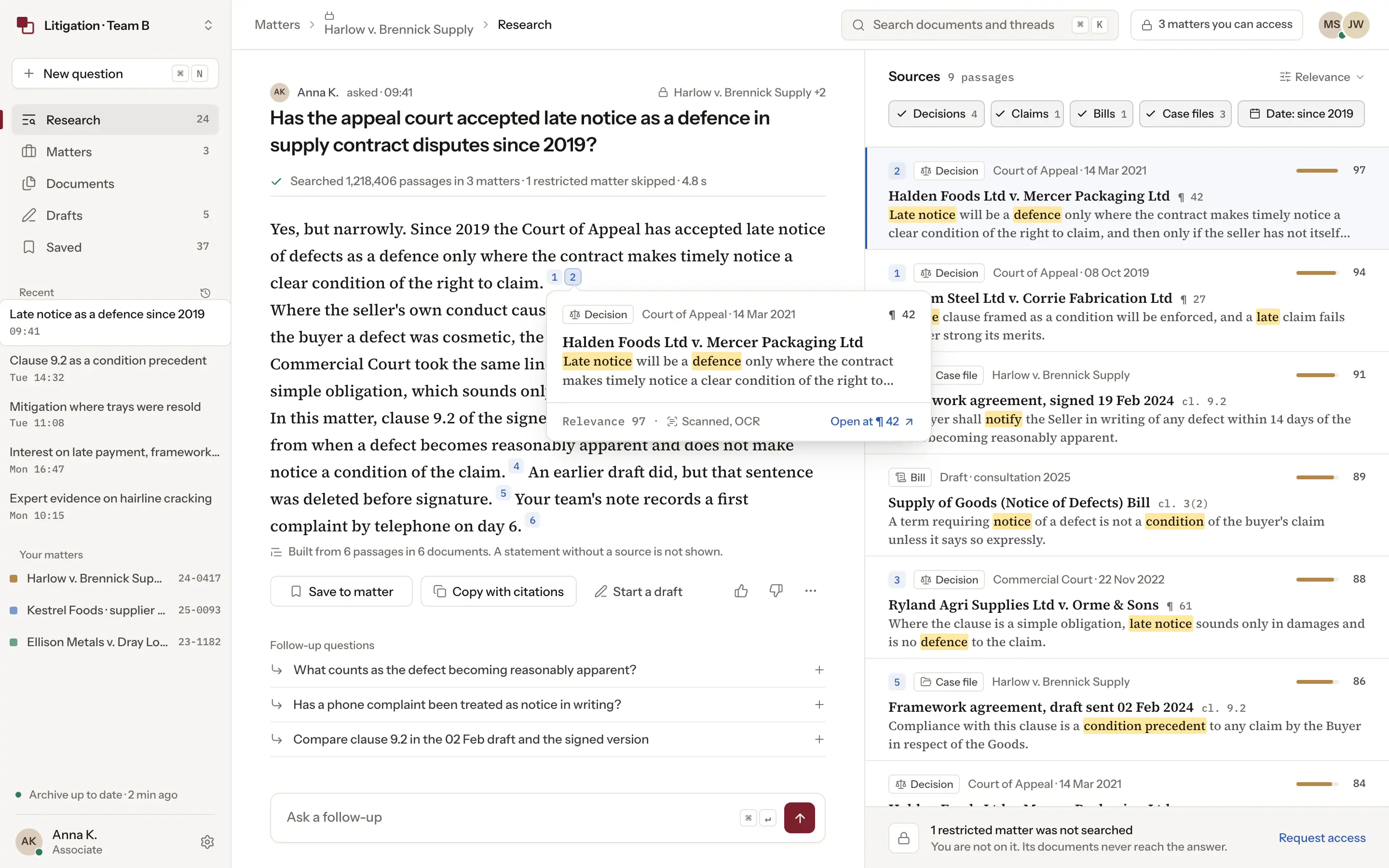
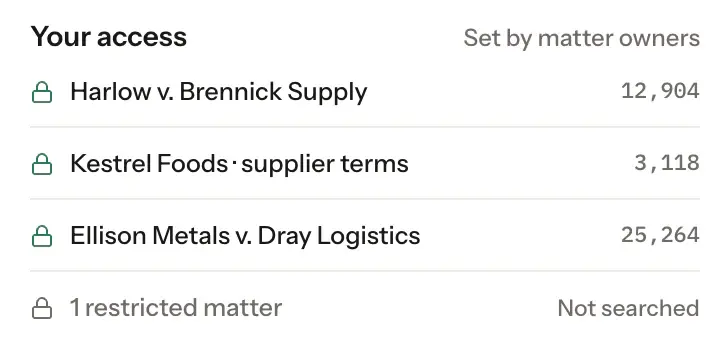
The permission check runs before the search, so a question only searches the matters its author is cleared for.
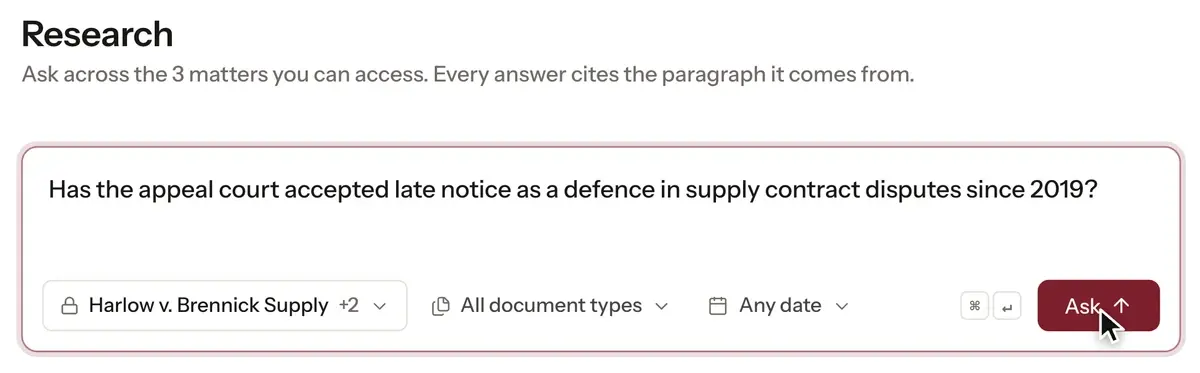
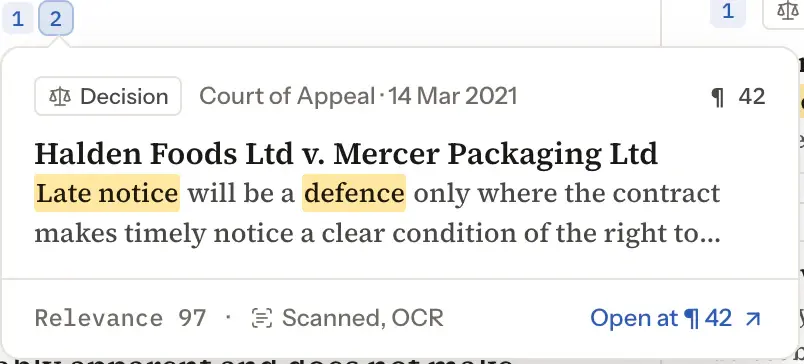
A lawyer asks in plain language, and each statement in the answer links to the paragraph it came from.
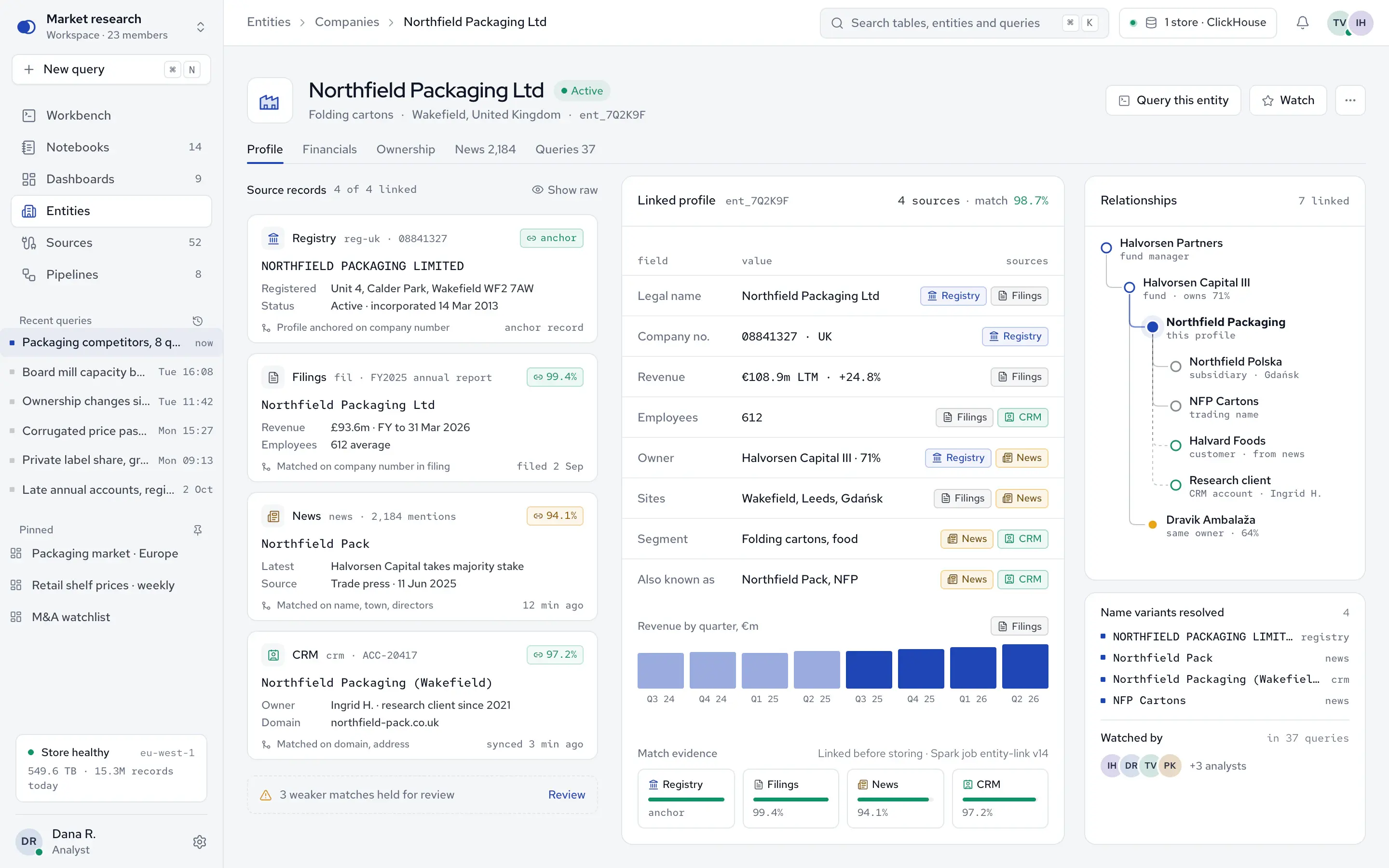
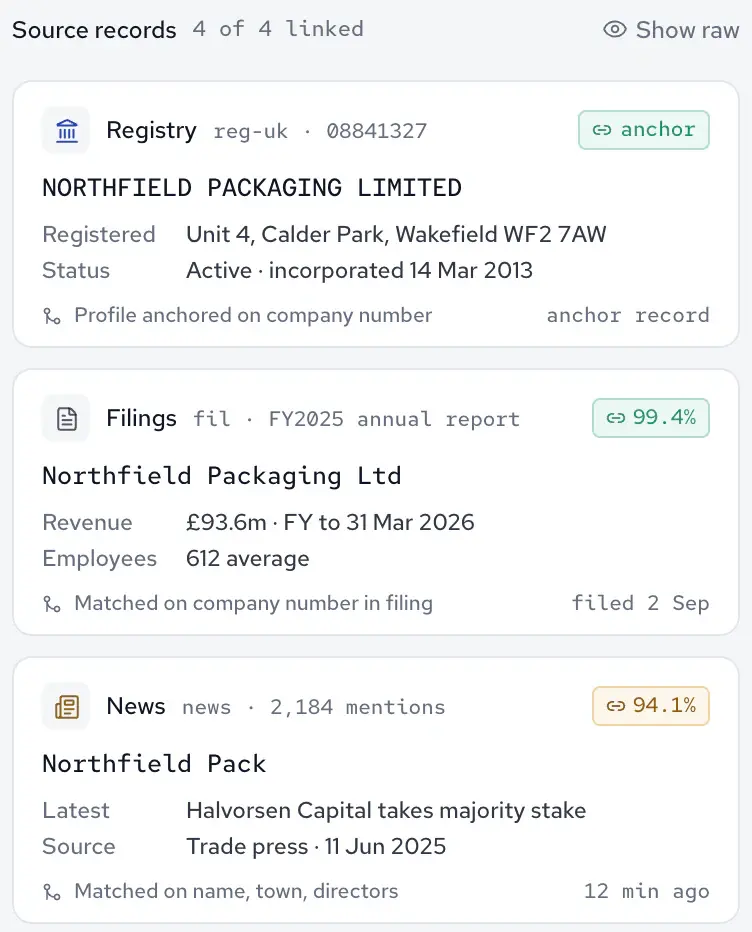
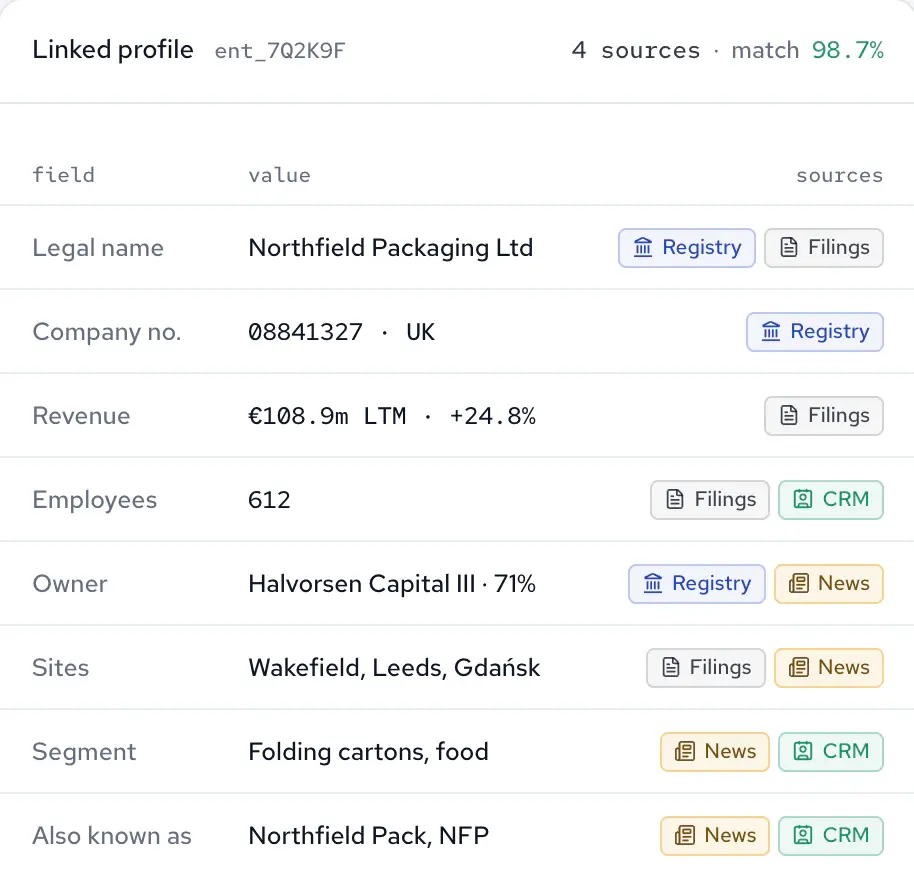
Registry records, filings, news and internal data about one company are linked into one profile during processing.
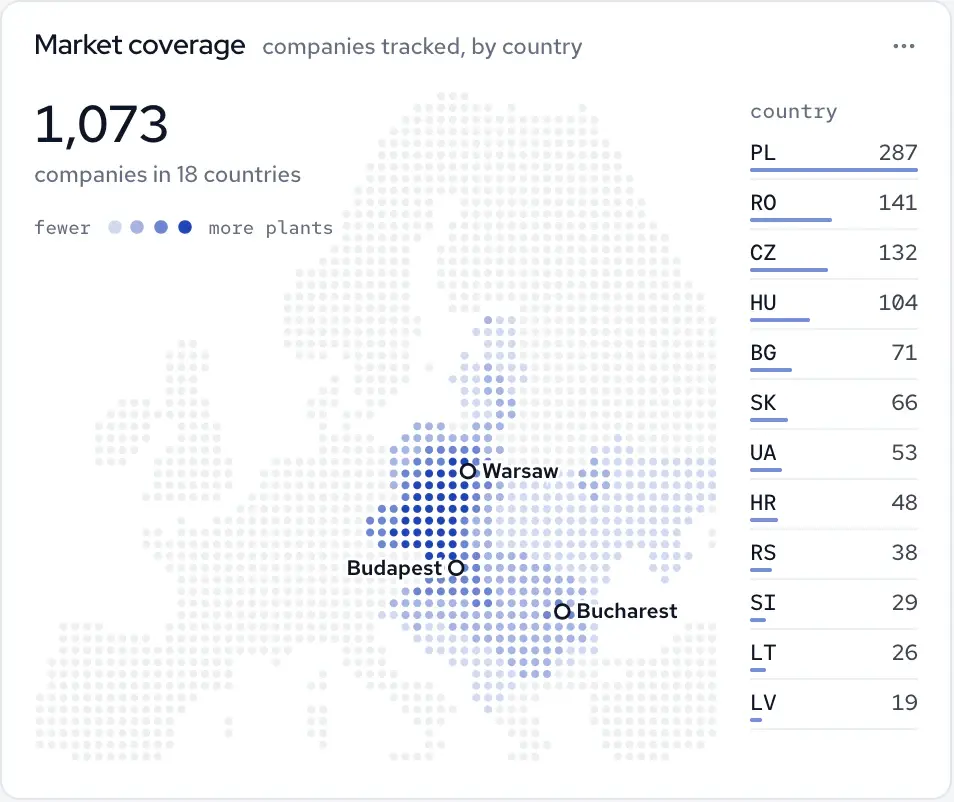
Company databases, public registries and APIs feed the platform, and each field in the profile shows the sources it came from.
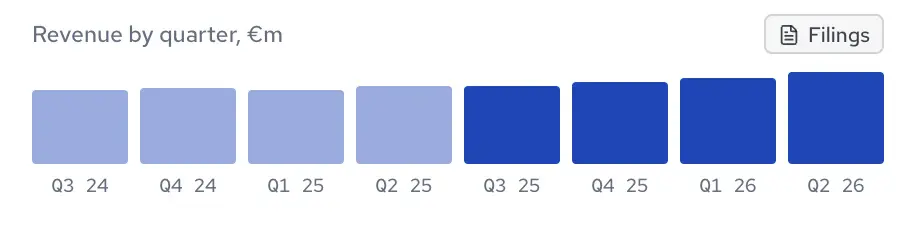
Charts read straight from the platform's single store, so they update as new data arrives.

Client project · Live · Research data platform
An analyst workbench over more than 50 sources
We built the platform and the tools a research firm's analysts work in: SQL and plain-language questions, dashboards, notebooks and search over one store.
4×Faster queries, on average
40%More tasks completed by the same analytics team


How we work
How a web app project runs
Five steps, each ending in something you review and a decision you make.
See the full processStep 01
Map the users and the work
- Who signs in and what each role needs to get done
- The data they touch and where it lives today
- The current workflow
You decide: whether to scope it together
Step 02
Scope and design the screens
- Key screens with their loading, empty, error and no-access states
- Scope with exclusions
- A fixed price for that scope
You decide: approve the scope and its price
Step 03
Build the interface and the API together
- Front end, API and data layer, built side by side
- Milestones you try in a test environment
- Every change reviewed by a second senior engineer
You decide: accept each milestone
Step 04
Test with real roles and realistic data
- Integrations tested end to end
- Every role checked for what it can see and do
- Screens tried on realistic data volumes
You decide: approve the release
Step 05
Release and handover
- Production release
- Code, design files and documentation
- 30 days of bug fixes
You decide: continue with us or take over
What stays with your team
Built with us.
Yours to run.
You bring a decision owner and someone who knows the work the app supports. At handover, your own developers can take over, or we carry on, alongside your team where you have one.
01 / Yours
The code and design files
You own them, in your accounts, with access from day one.
CodeDesign files
02 / Yours
Documentation
Handed over with the code, to support future development, so your engineers or another partner can carry on.
DocsPart of the handover
03 / After handover
30 days of bug fixes
For 30 days after handover, we fix bugs within the delivered, agreed scope at no extra cost.
Within the delivered scopeOngoing support can be arranged
Have work that belongs in one place?
Let’s map it.
Tell us who will sign in, what they need to get done and where the data lives today. We will map the first workflow with you.
Frequently Asked Questions
A website presents your business to visitors and brings in inquiries. A web app is software people sign in to and work in. If you need pages, a content system and search visibility, see website development. Many companies need both, and we can plan them together so they share one design system.
The main drivers are the number of roles and workflows, the data volume, the integrations, the access rules and the devices it has to support. We outline the work after a first conversation, then agree a fixed price for a clear scope. You approve the cost of any additional work before it starts.
We agree the timeline together with the scope and show you working milestones throughout. As reference points, the legal research platform went live after two months of development, and the research data platform, analyst tools included, after four. Those were the timelines for those scopes, not a standard length.
Yes. We review the code, the data model and how people use it today, then agree a focused scope: a new module, a faster data layer, an integration or a rebuild, usually moved over in stages while the app stays in use. We can work alongside your own developers.
We agree the roles and what each one may see and do before the screens are designed, then enforce those rules on the server for every request; the interface shows each person only what they may see and do. Approvals and audit trails are added where the work calls for them.
We plan responsive layouts for the devices your users have, from desktop to phone browsers. A progressive web app can be installed with its own home-screen icon; offline use is scoped separately. When the app needs deeper device features or a store listing, mobile app development is the better route.
Ask to see systems they have built that are close to yours, who builds and reviews the code, who owns it, how scope changes are priced and what happens after launch. Our answers: reconstructed tours of the systems we built, a senior team with every change reviewed by a second senior engineer, your code with access from day one, a fixed price for a clear scope with the cost of any additional work approved by you before it starts, and 30 days of bug fixes after handover.
You own the code and design files, with access from day one and documentation to support future development. For 30 days after handover, we fix bugs within the delivered, agreed scope at no extra cost. After that, ongoing support can be arranged, or your own team can take over.