Where AI Fits in an Existing
Business Workflow
Add AI at the steps where people search, draft or sort work, with cited sources, permissions, written rules for what it may do alone and a clear hand-off to a person.
Integrating AI into an existing workflow works best when you start from a step your team already does by hand. Look for the moments when people search for information, write a first draft or sort incoming work. Those steps have clear inputs, a person who already checks the result and a number you can compare before and after.
The short answer: AI fits at the steps where people search, draft or triage. Let it retrieve and cite sources, prepare drafts a person approves, and act alone only in low-impact cases a written rule allows, with every action logged and reversible. Check permissions before any data reaches the model, treat fetched content as data rather than instructions, and give every case it cannot handle a clear route to a person.
Integrating AI into an existing workflow starts with one step
Map the workflow as it runs today and mark three kinds of moments: someone reads a lot to find one fact, someone writes text that follows a familiar pattern, or someone decides which queue an item belongs in. At those steps a language model can take on the reading and writing, while a person reviews the results and sets the rules for what it may do alone.
| Step | What AI can do | What stays with a person | What to measure |
|---|---|---|---|
| Search | Find the relevant passages and answer with citations | Judging whether the source applies to the case |
|
| Draft | Write a reply or document from context and past examples | Sending, editing or rewriting the draft |
|
| Triage | Classify incoming items, route them and flag urgency | Items it cannot classify with confidence |
|
| Act | Update a record or send a message within written rules | Setting the rules and reviewing a sample of actions |
|
Search
What AI can do
Find the relevant passages and answer with citations
What stays with a person
Judging whether the source applies to the case
What to measure
- Time to find and confirm a source
Draft
What AI can do
Write a reply or document from context and past examples
What stays with a person
Sending, editing or rewriting the draft
What to measure
- Time to first reply
- Share of drafts sent unchanged
Triage
What AI can do
Classify incoming items, route them and flag urgency
What stays with a person
Items it cannot classify with confidence
What to measure
- Items routed correctly
- Time waiting in a queue
Act
What AI can do
Update a record or send a message within written rules
What stays with a person
Setting the rules and reviewing a sample of actions
What to measure
- Errors and reversals per hundred actions
Steps with structured data and written rules often need no AI at all. Our guide on which process to automate first covers how to score those.
If the tool where the step already happens offers an AI feature that covers it, with the permissions, logging and hand-off you need, start there. Our guide on native integrations, connectors and custom builds applies the same test.
Retrieval with citations: no source, no answer
When the job is finding information, put retrieval first and the model second. The system searches your documents for passages relevant to the question, and the model writes an answer only from those passages, with every statement linked to its source. If retrieval finds nothing relevant, the user is told that nothing was found.
The rule exists because language models can write fluent answers that are wrong. NIST's Generative AI Profile calls this risk confabulation: confidently stated but false content that can mislead the people relying on it (NIST AI 600-1). A citation that opens the cited passage lets the reader check an answer against its source. The citation must also exist and support the claim; NIST suggests verifying sources and citations before deployment and during ongoing monitoring.
No source, no answer removes the answers nobody can check.
Permissions come before retrieval. If a user may not open a document, the search should not return it, so restricted text does not reach the model through retrieval. Search platforms support this with a filter on user or group identity applied to every query; Microsoft documents it as the security filter pattern for Azure AI Search. The application must authenticate the user and build that filter from trusted permissions; a user or group ID supplied in a request is not authorisation by itself.
Question
A person asks a question in their own words
Permission filter
Search only the documents this user may open
Retrieval
Find the passages that match the question
Passages found?
No: No source, no answer.
No source, no answer
The person is told nothing was found
Yes
The model writes
Only from the passages retrieval returned
Cited answer
Every statement links to the paragraph it came from
A retrieval flow in five steps. A user asks a question. A permission filter limits the search to documents the user may open. Retrieval finds matching passages. If none are found, the user is told nothing was found and no answer is written. If passages are found, the model writes only from them, and every statement links to the paragraph it came from.
A legal research platform we built for a law firm follows this design. The permission check runs before retrieval, so a question only searches documents its author is cleared to see. The model writes only from retrieved passages, and a statement without a source does not reach the screen.
Project results for a law firm.
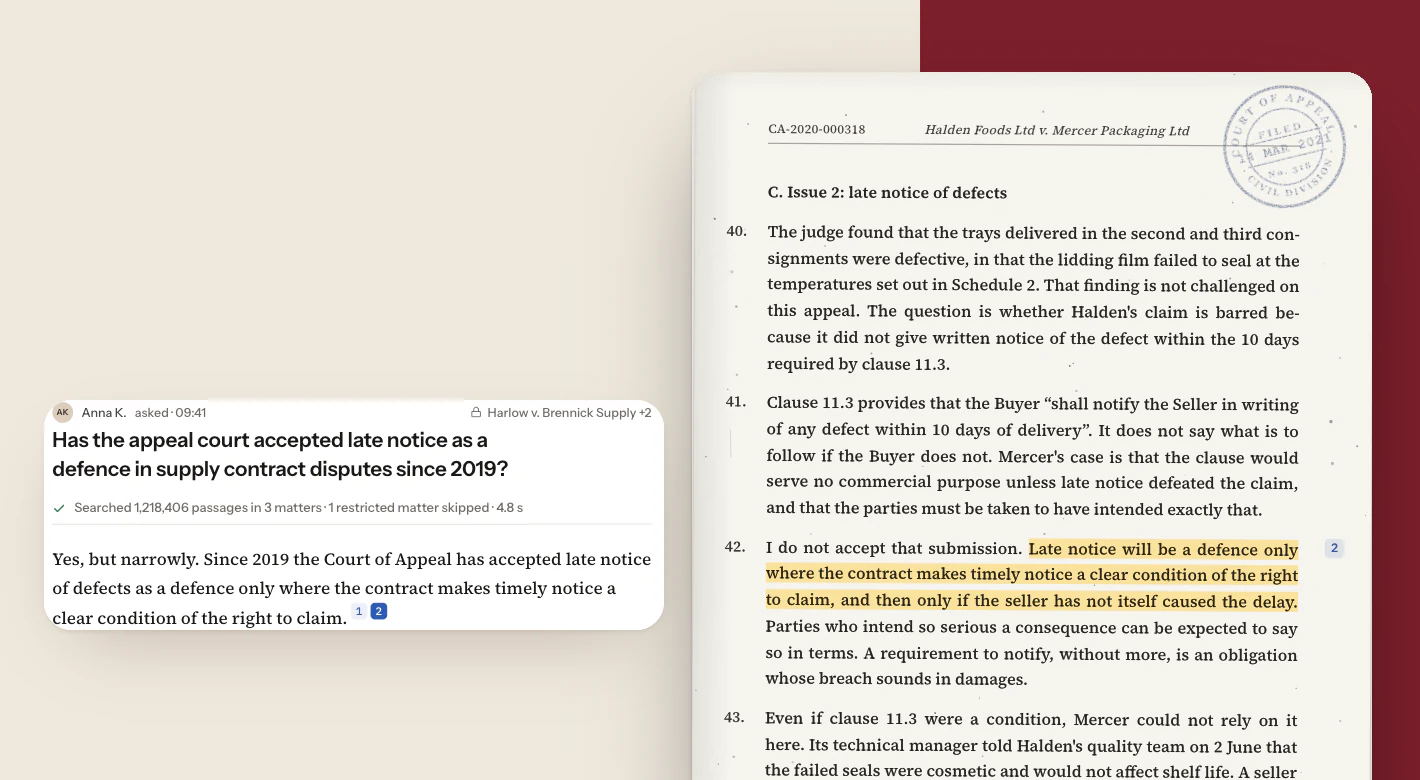
- ~5 sec To find and confirm a source Compared with hours previously.
- 70–80% More cases closed per lawyer The firm's own estimate of output per lawyer.
Drafts or automatic actions: who presses send?
For writing tasks, start with drafts. The AI prepares the reply or document, and a person sends it, edits it or discards it. Microsoft's guidelines for human-AI interaction recommend making it easy to edit, refine or recover when an AI system is wrong (Microsoft Research). The edits people make also show you where the model falls short.
Automatic actions come later, and by rule. Decide in writing which cases the AI may handle alone, such as a type of question, a stage of the conversation or a channel. Everything else stays a draft. OWASP's guidance on excessive agency recommends a person's approval for high-impact actions and keeping each tool's permissions to the minimum the task needs (OWASP LLM06).
Could a wrong output cause harm that is hard to undo?
A payment, a legal statement, a promise to a customer
Yes: goes to Stays a draft.
No
Does a written rule allow the AI to handle this case alone?
A type of question, a conversation stage, a channel
No: goes to Stays a draft.
Yes
Is every action logged, and can it be reversed?
A person can review a sample and undo a mistake
No: goes to Stays a draft.
Stays a draft
A person sends it, edits it or discards it.
Yes
The AI acts on its own
And a person reviews a sample of its actions
A decision tree for one AI output. First question: could a wrong output cause harm that is hard to undo, such as a payment, a legal statement or a promise to a customer? If yes, it stays a draft for a person. If no, second question: does a written rule allow the AI to handle this case alone? If no, it stays a draft. If yes, third question: is every action logged and can it be reversed? If no, it stays a draft. If yes, the AI acts on its own, and a person reviews a sample.
For a sent message, which cannot be taken back once read, reversal means a follow-up that corrects the mistake.
An AI sales agent we built for a social media marketing agency starts from drafts. The agent sends a reply itself only where the agency has allowed it, and anything else waits for a person. Managers review the drafts and edit, send or discard them.
Project results for a social media marketing agency.
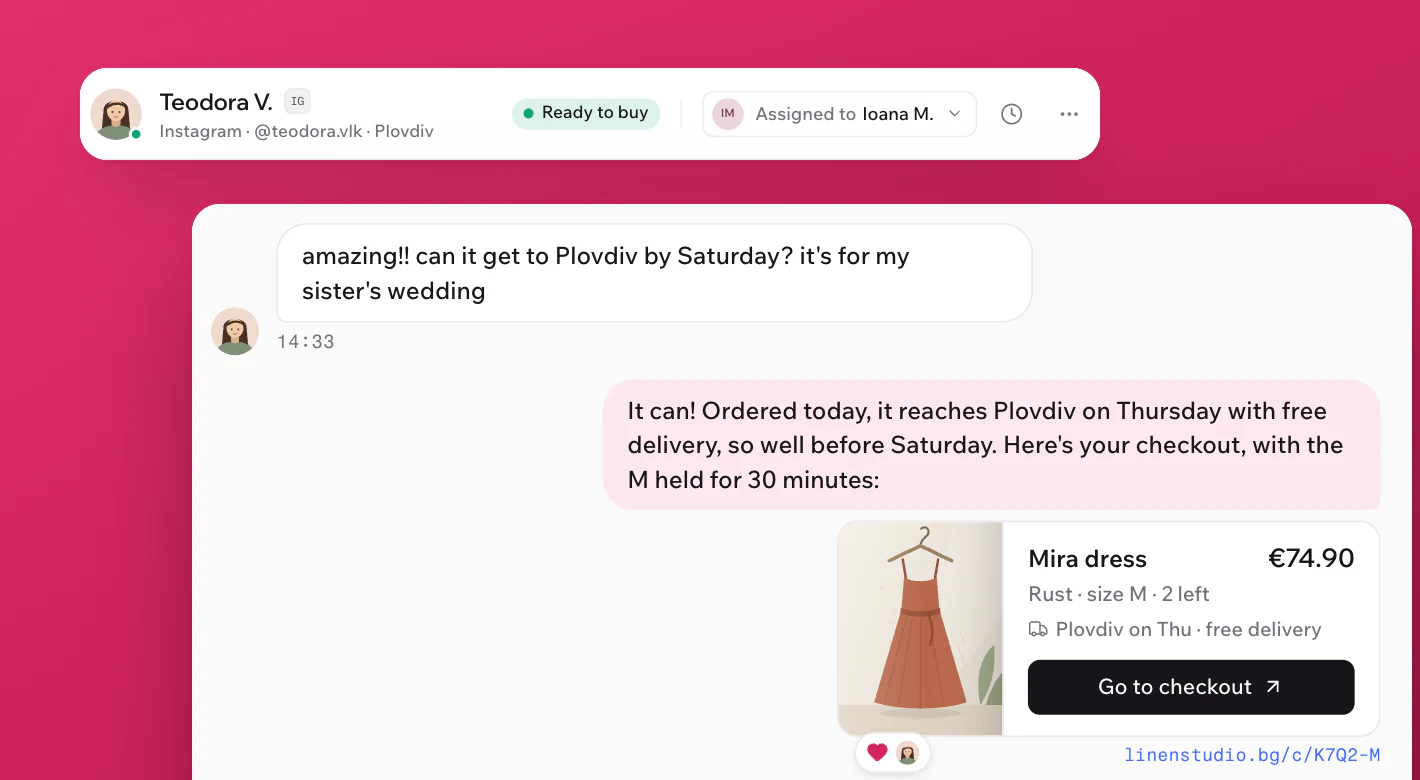
AI sales agent for social media
- 3–4 sec Response time Previously about 20 minutes; sometimes hours or days.
- ~2,500 Messages handled a day Across the agency's social and messaging channels.
- 2× Sales conversion Twice the share of conversations that end in an order.
Guardrails for data, tools and fetched content
An AI step reads data and, in some designs, calls tools. Each of those needs a limit you can explain to the people responsible for the workflow.
- Data access: Agree which systems the AI may read, and apply each user's permissions before retrieval.
- Fetched content: Web pages, emails and uploaded files can contain text written to steer the model. OWASP describes this as indirect prompt injection and recommends separating untrusted content and marking it clearly (OWASP LLM01). Treat anything fetched as data, never as instructions; OWASP also notes that no method is known to prevent it completely.
- Tools: Give the AI only the actions its step needs, with the narrowest permissions, and require a person's approval for anything with a high impact.
- Logging: Record what the AI read, wrote and did, so you can review a sample and trace a mistake to its cause.
- Providers: Agree which external services handle your data and whether that data may be used for training.
Plan the hand-off to a person
Every AI step needs a route to a person for the cases it should not handle. Write the triggers down before launch:
- Retrieval finds no source for the question.
- The case falls outside the rules for automatic actions.
- The customer asks for a person, or the topic is sensitive.
- The request is ambiguous and the AI cannot tell what is being asked.
For the last trigger, Microsoft's guidelines suggest that an uncertain system should ask for clarification or scale back what it offers. The hand-off itself should carry the context: the conversation, the sources found, the draft and the reason for escalating. The person who picks it up should be able to continue without starting again.
How to measure the effect of AI in a workflow
Measure before launch and after. Before launch, collect real questions or messages with known good answers and run the system against them. Check that every citation opens the right passage, that the system says so when the documents hold nothing, and that drafts follow your rules. NIST's AI Risk Management Framework treats measurement as one of its four core functions, alongside govern, map and manage.
After launch, track the numbers that describe the step: time to find a source, time to first reply, the share of drafts sent unchanged, edited or discarded, escalations and errors found in review. Then connect them to a business result your team already tracks. The two cases above report different ones: the law firm's estimate of cases closed per lawyer and the agency's sales conversion.
Measure the step and the business result together. Time saved is not money saved: it counts only when it shows up as more work completed or more sales made.
An AI readiness checklist
- Step: The one task where people search, draft or triage, and who does it today.
- Baseline: How long it takes now and how often the result needs correcting.
- Sources: The documents or records the AI may use, and who keeps them current.
- Permissions: Who may see what, applied before retrieval.
- Autonomy: What the AI may do alone, written as rules; everything else is a draft.
- Hand-off: The triggers for a person, and who that person is.
- Test set: Real examples with known good answers, checked before launch.
- Measure: The step metric and the business result you will compare.
A first scope that comes out of this checklist is usually small: one step, one source of data, drafts first. It also makes a clear brief for AI integration, and the steps around it can be connected through workflow automation and integration once the AI step has shown that it works.
Sources
- NIST — AI 600-1, Generative Artificial Intelligence Profile
- NIST — AI Risk Management Framework
- Microsoft Learn — Security filter pattern in Azure AI Search
- Microsoft Research — Guidelines for human-AI interaction design
- OWASP Gen AI Security Project — LLM01:2025 Prompt Injection
- OWASP Gen AI Security Project — LLM06:2025 Excessive Agency
Frequently asked questions
Not always. Retrieval gives a model your facts at the moment of the question, and many steps need nothing more. The legal research platform used a managed cloud model and a standard vector database. The sales agent was fine-tuned on the agency's own conversations to carry its phrasing and rhythm into drafts; that was a decision for this project, not a general rule.
That depends on the provider, the plan you use and the terms agreed with it. Before any data leaves your systems, check which external services receive it, how long they keep it, whether it may be used for training and where it is processed and stored.
Yes, when text recognition (OCR) runs as documents enter the system, although faint copies and handwriting are read less reliably. On the legal research platform, OCR is part of ingestion, so scanned decisions and older case files are searchable and citable like any digital file.
Find the right step for AI
Tell us which part of your workflow takes the most reading or writing, and where the information lives. We can help you choose the first step, the rules around it and the measure that will show whether it works.