Which Manual Process
Should You Automate First?
Score each manual process on frequency, time, errors, rule clarity, systems and exceptions, then automate the one that is both valuable and ready.
Choosing which process to automate first is often harder than building the automation. Most teams have a long list of repetitive work, and the loudest complaint tends to win. A score across six factors gives every candidate the same test and leaves you with a first project you can measure.
The short answer: automate first the process that runs often, takes real time per item, causes costly errors, follows written rules, touches systems you can access and has few exceptions. Measure how it performs today, automate the path the rules cover and send everything else to a person.
Start with the queues, not the tools
Begin with a list of work that arrives as a queue: orders to process, messages to answer, returns to approve, invoices to match, records to copy from one system to another. Queues are easy to count, and their cost grows with the business.
Google's site reliability engineering book has a name for similar work in running production services: toil. It describes toil as work that tends to be manual and repetitive, that a machine could do as well as a person, that leaves nothing of lasting value behind and that grows with the service (Google SRE book, Eliminating Toil). The definition makes a useful filter. If the work changes every time, or doing it once produces something your team keeps using, it is probably not your first candidate.
Write each candidate as one sentence with a trigger and an outcome: when a return request arrives, check it against the refund policy, then refund it or pass it to a person. A process you cannot describe this way needs more discovery before it can be scored.
How to choose which process to automate first
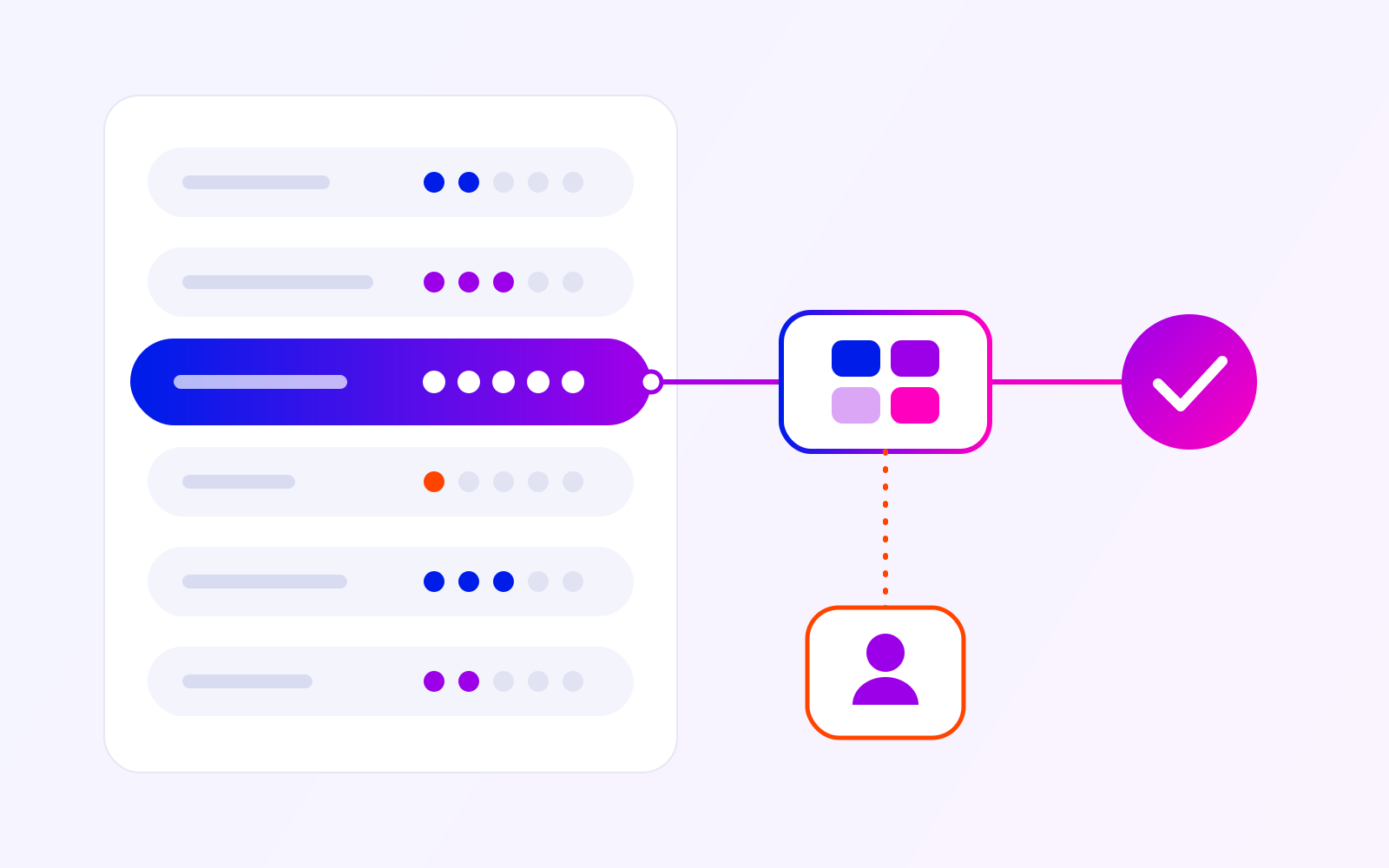
Score each candidate from 1 to 5 on six factors. The first three measure the value of automating it. The last three measure how ready it is. This is a prioritization aid, not a financial forecast: agree what low, medium and high mean for your own workload before comparing candidates.
| Factor | What to measure | Scores 5 when… |
|---|---|---|
| Value | ||
| Frequency | Items per day or week | The work arrives many times a day, every working day. |
| Time per item | Minutes of handling, including checks and switching between screens | Each item takes minutes of copying, checking or retyping. |
| Errors | Corrections per hundred items and what each one costs | Mistakes are frequent or expensive: a wrong refund, a double sale, a missed deadline. |
| Readiness | ||
| Rule clarity | Share of items a written rule can decide | Most items follow rules you can write down and test with real examples. |
| Systems and access | Number of systems, access to each, owner of each field | The data sits in a few systems with an API or export, and someone owns each field. |
| Exception rate | Share of items that need judgment or missing information | Few items fall outside the rules, and those can wait for a person. |
Value
Frequency
What to measure
Items per day or week
Scores 5 when…
The work arrives many times a day, every working day.
Time per item
What to measure
Minutes of handling, including checks and switching between screens
Scores 5 when…
Each item takes minutes of copying, checking or retyping.
Errors
What to measure
Corrections per hundred items and what each one costs
Scores 5 when…
Mistakes are frequent or expensive: a wrong refund, a double sale, a missed deadline.
Readiness
Rule clarity
What to measure
Share of items a written rule can decide
Scores 5 when…
Most items follow rules you can write down and test with real examples.
Systems and access
What to measure
Number of systems, access to each, owner of each field
Scores 5 when…
The data sits in a few systems with an API or export, and someone owns each field.
Exception rate
What to measure
Share of items that need judgment or missing information
Scores 5 when…
Few items fall outside the rules, and those can wait for a person.
Add the three value scores together and the three readiness scores together, and keep the two totals apart. A process that is valuable but unready needs a different next step from one that is ready but worth little.
Value
Frequency, time per item, errors
High value · Low readiness:
Prepare first
High value, not ready yet. Write the rules down with the people who apply them, confirm access to each system, then score it again.
High value · High readiness:
Start here
High value, ready to build. Measure the baseline, automate the path the rules cover and send the exceptions to a person.
Low value · Low readiness:
Leave it manual
Little value, not ready. Revisit when the volume or the cost of errors grows.
Low value · High readiness:
Batch it later
Ready, but little to gain. Group it with other small changes once the first automation is live.
Readiness
Rule clarity, systems and access, exception rate
High value with low readiness is common. It usually means the rules live in people's heads or one of the systems has no usable access. The next step there is to write the rules down with the person who applies them every day and to check what each system allows. Our guide to choosing a native integration, connector or custom build covers that check.
Measure the baseline before you build
Before changing anything, measure the candidate as it runs today, over a period that includes an ordinary busy day:
- Volume: Items per day or week.
- Handling time: Minutes per item, from opening it to finishing it.
- Waiting time: How long an item sits before anyone picks it up.
- Errors: Items corrected, refunded or redone afterwards.
- Exceptions: Items that needed a question, a manager or missing data.
The Google SRE workbook recommends the same discipline for toil: choose an objective unit of measure and track it before, during and after the work to remove it. It also advises confirming that the time saved will at least match the time spent building and then maintaining the automation. Maintenance belongs in that comparison, because connected systems change and someone has to keep the automation working.
Treat released time and saved money as separate results. Hours come back as value when the team spends them on other work or handles more volume with the same people.
Rules first, AI where judgment is needed
Rule clarity decides what kind of automation fits. When a written rule can decide an item, such as refunding returns under a set amount that arrive within the return window, ordinary software is usually the right tool. It applies the same rule to every item, and you can test it against real examples before it goes live. Google's Rules of Machine Learning, written for machine-learning teams, make a related point: do not be afraid to launch without machine learning, and use a simple heuristic until you have the data to do better.
AI earns a place where the input is unstructured and a person would otherwise read and write: a buyer's message, a scanned document, a free-text request. Even there, a cautious pattern is that the AI prepares and a person decides.
If a candidate scores well on value but its items are written in free text, read where AI fits in an existing workflow before you score its rule clarity as low.
Example: one order flow for five marketplaces
A marketplace seller platform we built for a client shows how these factors play out. Before it, sellers on Amazon, eBay, Etsy, eMAG and Allegro worked in five separate marketplace dashboards, and returns were handled by hand, one case at a time.
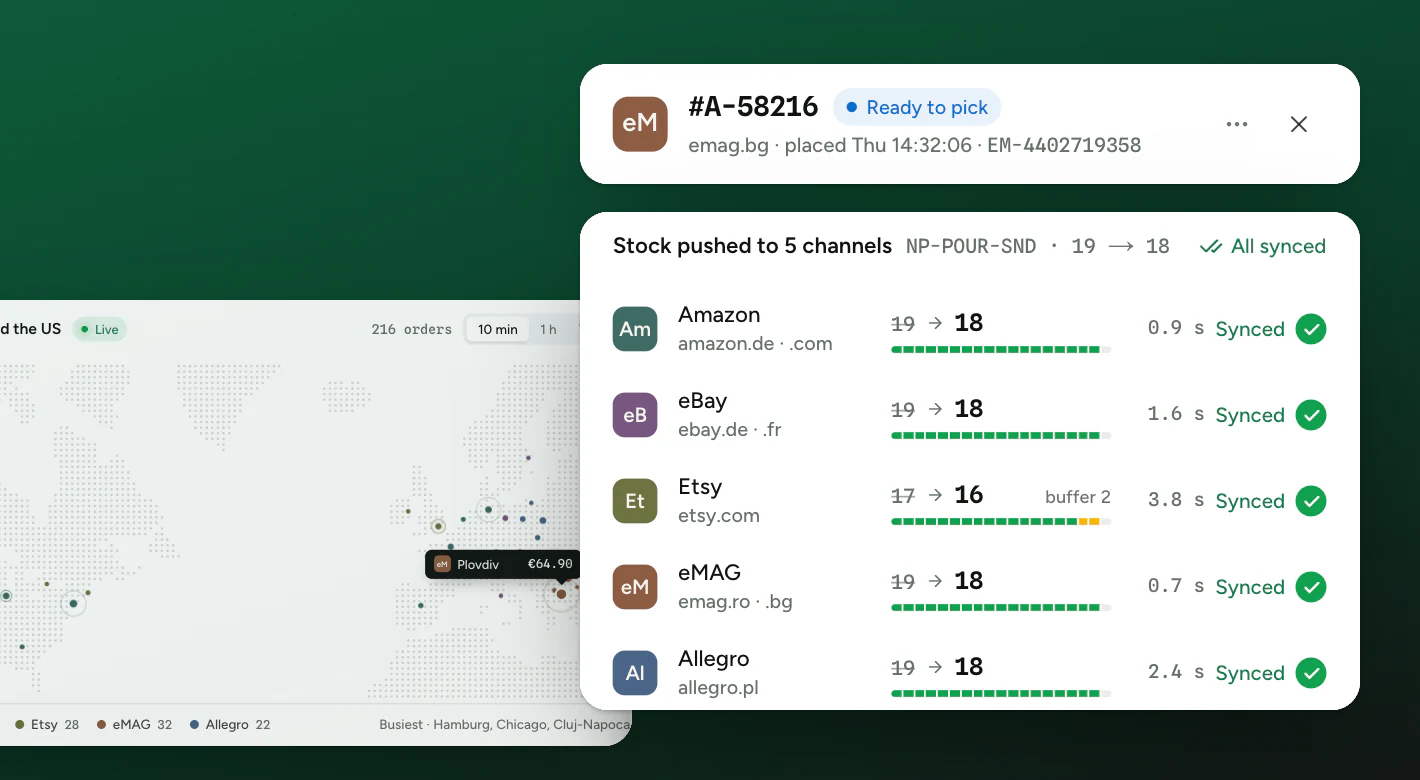
5 marketplaces in one order flow
Read against the scorecard, orders are a strong candidate. They arrive all day, each one has a deadline and status changes, a mistake such as selling the same unit twice can require a cancellation and affect the seller's rating, and the handling follows clear rules. The build itself started from the stock ledger and the first marketplace connectors. Orders from all five marketplaces now share the same statuses, deadlines and actions, and status changes go back to the right marketplace on their own. The reported time from order to dispatch fell by about 40 percent.
Returns show the split between rules and exceptions. Each seller decides which reasons, amounts and time windows get an automatic refund and which need a look from a person. Returns that match the rules are refunded automatically. The others wait for a person.
Buyer messages sit at the other end of the scale: they arrive as free text, so rules alone cannot answer them. There, the AI drafts a reply from the order details and the seller's past answers, and a person sends it or edits it first. A small team now covers support that used to need people in several time zones, which saves a seller up to $7,000 a month.
Plan for exceptions and keep a person in the loop
Exception rate decides how much manual work remains after the automation goes live. Every automated process needs an answer to three questions: what happens when an item matches no rule, what happens when a connected system does not respond, and who sees the problem.
Return requests: automate the clear path, route the rest
- Return request arrives
- Check against the written return rules
A rule covers it
- Refund issued automatically
- Logged and visible to the team
No rule fits, data is missing or the systems disagree
- Exception queue, reason attached
- A person decides
Recurring exceptions become new or clearer rules
- Send unmatched items to a named queue with the reason attached, so the person deciding has the context in front of them.
- Make repeated events safe: the same order or return arriving twice should be processed once.
- Show the operator which items are done, which are pending and which need attention.
- Review the exception queue on a schedule. A recurring exception is often a rule nobody has written down yet.
Design the exception queue as carefully as the automated path. It is where the remaining manual work lives, and where problems become visible.
A one-page automation scorecard
Before you ask anyone for an estimate, fill in one page for each candidate:
- Process: The trigger and the outcome in one sentence.
- Value scores: Frequency, time per item and errors, each from 1 to 5, with the numbers behind them.
- Readiness scores: Rule clarity, systems and access, and exception rate, each from 1 to 5.
- Baseline: Today's volume, handling time, waiting time, error rate and exception rate.
- Rules: The written rules, with two or three real examples for each.
- Exceptions: What goes to a person, who that person is and how quickly they need to act.
- Systems: Where the data starts and ends, and how each system can be accessed.
- Success measure: The number that should change, and when you will check it.
Pick the most valuable candidate whose two totals are both high. If every valuable candidate is unready, prepare the most valuable: write its rules down and confirm access to its systems. That work is usually smaller than a build, and it makes the estimate that follows more reliable. When the page is complete, it is also a sound brief for workflow automation services or for AI integration where free-text work is involved.
Sources
Frequently asked questions
Yes, when the rules are unclear or people handle the same case in different ways. Automating that process makes the inconsistency run faster. Agree the rules with the people who apply them, run the process that way for a while, then score it again.
Usually not as a first project. Low frequency keeps the value score low, unless each run takes hours or each mistake is expensive. For rare work, a checklist or a template may be enough.
Then access is the first task. Check which interfaces, exports and permissions the system offers, and who can approve their use. Without access, an estimate is a guess.
Find your first automation candidate
Bring your list of repetitive work, or just the one process that takes the most time. We can help you score it, check the rules and systems behind it and agree a first scope you can measure.